Rotate the device to affix your signature.
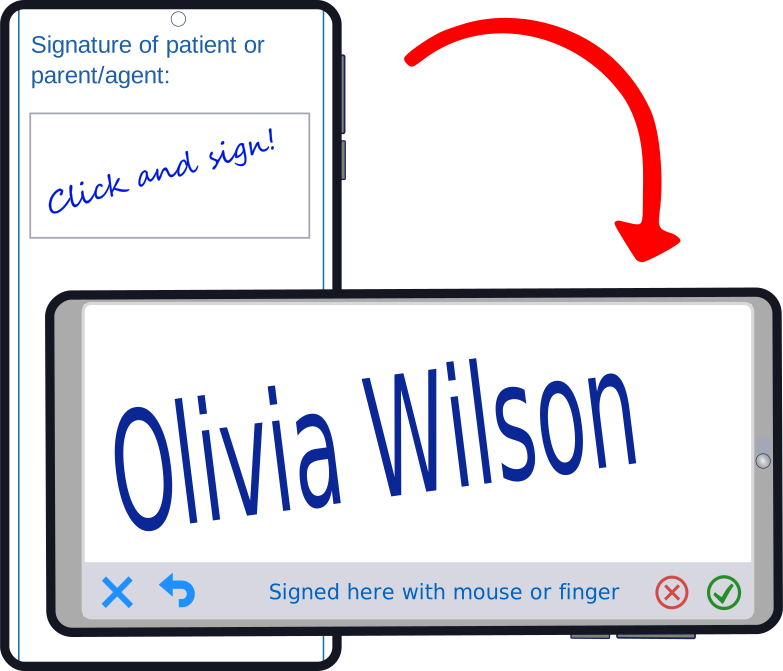
Rotate the device to affix your signature.
 Info
Info Help
HelpWhen a medical-dental questionnaire is reviewed by its author (your patient), a copy of the pre-review questionnaire is created in the Archives page for consultation. You cannot delete or transfer them.
Grid :  Archived questionnaire for consultation only.
Note: The Revised Questionnaires are on the Forms Management page.
All revised responses in the questionnaire will be indicated in red.

 Help
Help





| List of permitted actions according to their status | Your customers | Users | Professionals | Administrators |
|---|---|---|---|---|
| Complete the questionnaire located on a page of your website |  |
|
|
|
| View the questionnaires | |
|
|
|
| Send a form review request to the client | |
|
|
|
| Delete a questionnaire | |
|
|
|
| Retrieve a questionnaire | |
|
||
| View the archives | |
|
|
|
| Consult the spaces reserved for professionals | |
|
|
|
| Write in the spaces reserved for professionals | |
|
||
| View user profiles (name, email address and cell phone number) | |
|
|
|
| Change your personal password | |
|
|
|
| Create, delete, modify and change user passwords | |
|||
| Change other users' rights (statuses)) | |
Help
 :Close
 Backspace

Table :  Form not consulted by clinic staff on pale strawberry background.
Table : Questionnaire consulted by clinic staff on white background.
Clinic professionals can write notes in the fields reserved for professionals.
Column : ✎ Code indicating that professionals have written a note (see the list of codes at the bottom of the table).
Table :  Medical-dental questionnaire currently being revised on light yellow background.
Table : Informed consent form not signed by the patient pale strawberry background.
Table : Questionnaire/consent form signed and not verified by clinic staff pale strawberry background.
Table : Questionnaire/form was viewed by clinic staff on white background.
Note : All revised responses in the medical-dental questionnaire will be indicated in red.
Close Réviser
An email with instructions on how to safely review the questionnaire will be automatically sent to the patient. The patient will have 7 days and 3 attempts to review their answers, sign and click Submit their revised questionnaire.
Table : Questionnaire currently being reviewed by the patient on light yellow background.
and the revised questionnaire will be displayed as a new questionnaire.Table : Questionnaire not consulted by clinic staff on pale strawberry background.
Note : All revised responses in the questionnaire will be indicated in red.
Table : Questionnaire consulted by clinic staff on white background.
 up and
  down
downThese arrows allow rapid repositioning in the form.
If the questionnaire is archived or under review, the following boxes cannot be modified:
CloseThis form was completed by a general dentist or any other specialist on your website.
You cannot modify the information contained in this form.
up and downThese arrows allow rapid repositioning in the form.
CloseA list of important points from the medical dental form and a list of relevant texts specific to this model are displayed on the left of the screen. These texts are grouped into three categories:Information, Risk factors and Advice.
You can view the configuration of the predefined relevant texts or create/edit your own relevant texts.
Note that some suggested texts are on a pale red background depending on the patient's health problems (medical-dental) or depending on the particularity of the teeth selected in the Information section.
If needed:Click on the signature image and sign again.
The signature menu options are:
 Clear all, Undo the last stroke,
 Quit without saving,
  Apply Signature,
  Apply Signature and save for future use.